After a Vibe Coding Interview: My Thoughts and Reflections
After a Vibe Coding Interview: My Thoughts and Reflections
Cover image source: opensessions
A few days ago, I took part in a vibe coding interview assessment. I was given a list of problems, each asking me to use AI tools to build a complete project end-to-end. The topics were varied and fresh, with requirements that weren’t easy — I had to implement every listed feature while also paying attention to visual presentation and user experience. Each problem came with a difficulty tag and a suggested time limit, similar to platforms like LeetCode or NowCoder, but with one key difference: this assessment was directly evaluating how well candidates could use AI tools. I’ll share my development process and some reflections without disclosing any confidential information.
One-sentence summary: vibe coding deserves to be taken seriously — strong vibe coding skills can significantly boost a developer’s competitiveness.
What Is Vibe Coding?
The term was coined by AI researcher Andrej Karpathy in February 2025[1]. He described the approach as: “fully give in to the vibes, embrace exponentials, and forget that the code even exists.” In practice, vibe coding means developers stop writing code line by line, and instead describe desired functionality to AI in natural language, letting the AI generate, iterate, and debug the code while the developer focuses on product goals, visual design, and user experience.
Think of it as programming in the mode of a conductor rather than a performer.
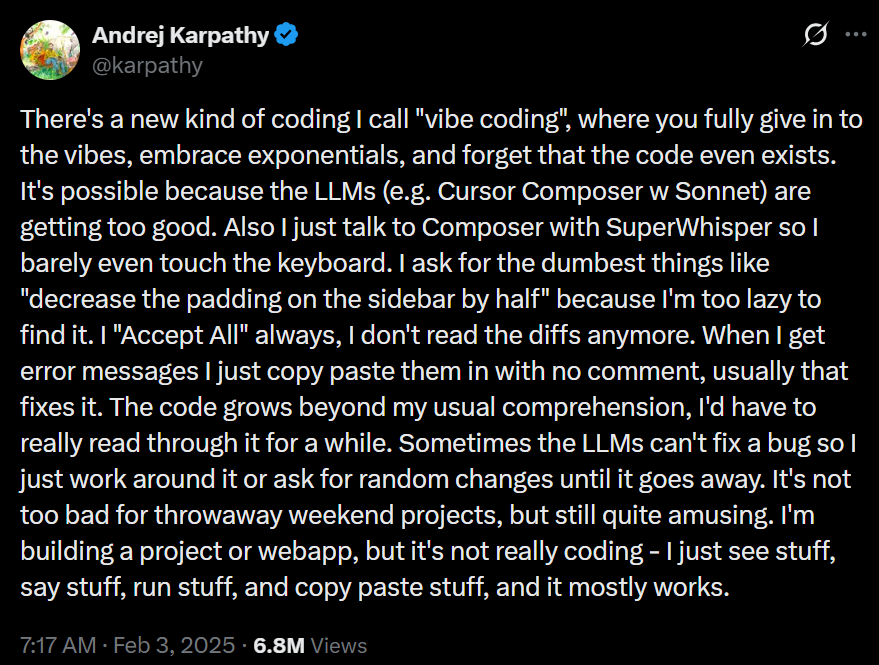 Andrej Karpathy’s original post
Image source: Vibe Coding
Andrej Karpathy’s original post
Image source: Vibe Coding
As this workflow has gained traction, the hiring market has started to shift: more and more companies — especially startups — are adding “vibe coding rounds” to their technical interviews, directly testing whether candidates can use AI tools to deliver products efficiently[2]. The assessment I participated in was a direct reflection of this trend.
My Development Process
Step 1: Use an End-to-End App Generation Tool to Build a Prototype
When I got the problem, I didn’t start writing code immediately. Instead, I digested and processed the requirements, organized them into a clear, structured description, and fed that to Replit (https://replit.com) — an end-to-end application generation tool.
Replit is an online development platform that combines an IDE, runtime environment, and deployment platform in one. Its core is the Replit Agent — an AI agent capable of autonomously planning, writing, testing, debugging, and deploying full-stack applications from natural language prompts[3]. You tell it “build a task management app that supports multi-user login,” and it gives you a working product end-to-end.
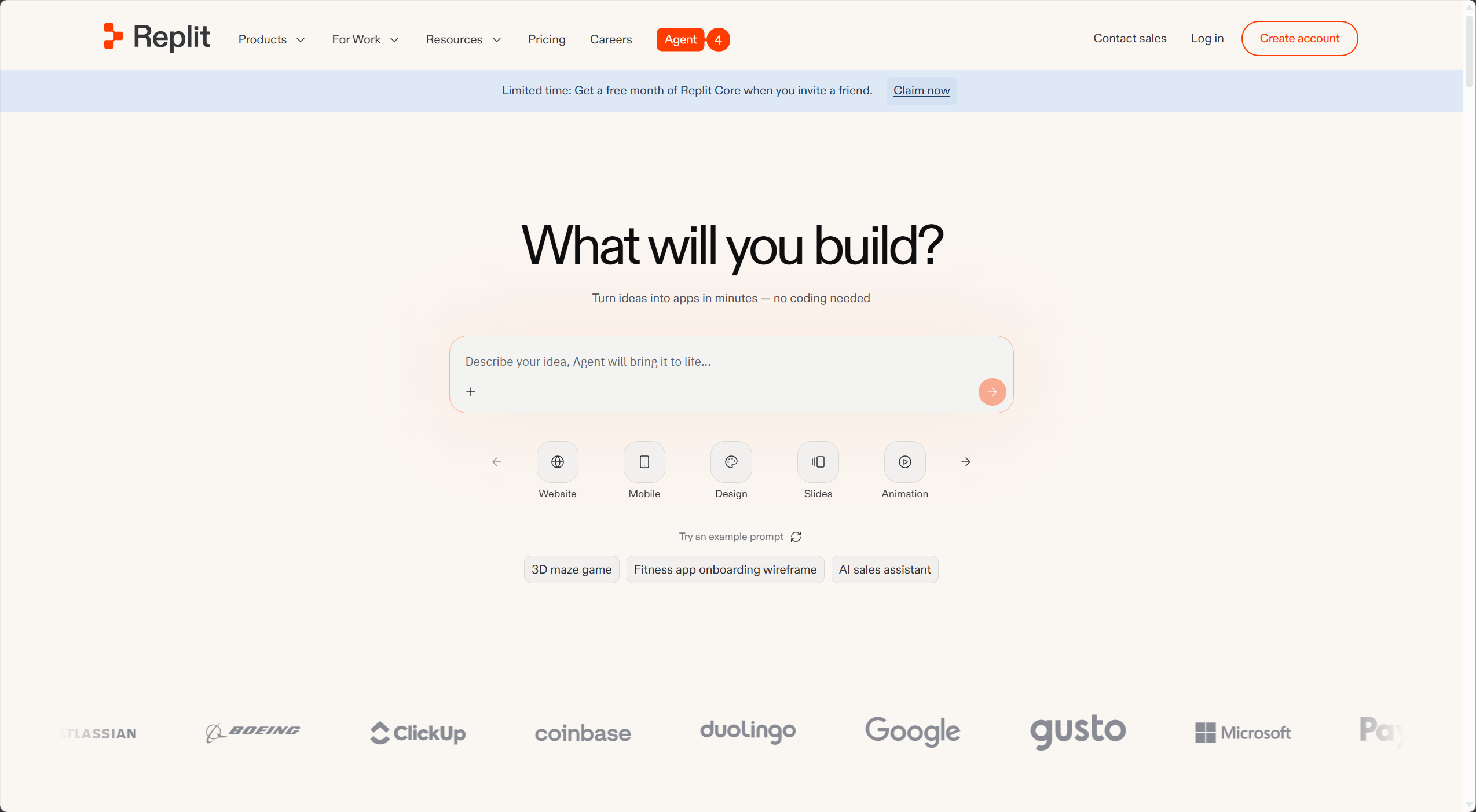 Replit’s homepage
Image source: Replit
Replit’s homepage
Image source: Replit
Similar tools include:
Bolt.new (by StackBlitz): Takes a code-first philosophy, providing a full browser-based IDE with high framework flexibility. Great for developers who want to keep control of the code.
Lovable: Focused on building SaaS MVPs, deeply integrated with Supabase, with a visual editing mode. Ideal for founders who want to get a SaaS product live quickly.
v0 (by Vercel): Focused on UI component generation, excelling at high-quality frontend design output, deeply integrated with the Next.js ecosystem. Best for frontend developers and designers.
Base44: Zero-configuration, minimum decisions, fastest path to deployment. Suited for non-technical founders who just need something live[4].
These tools share common advantages: speed, low barrier, and seamless integrations — no environment setup, no worrying about hosting or deployment, just focus on product logic. But they also have a significant drawback: platform lock-in. Code generated by Replit is naturally tied to Replit’s default configurations and integrations (such as its PostgreSQL database and built-in Auth system). Migrating to another environment requires substantial refactoring — which is exactly what I ran into in Step 2.
Step 2: Migrate to Claude Code for Fine-Grained Adjustments
Once I had a working prototype, I migrated the code locally and used Claude Code for more detailed adjustments and feature polish.
The migration didn’t go smoothly. Replit-generated code has many implicit dependencies on the platform environment — the way environment variables are injected, database connection configuration paths, deployment hooks, and so on — all of which needed to be adapted for a local environment. This took considerable effort and drove home a key lesson: when choosing your toolchain, think about the “exit” upfront. Frequent code migrations eat up time.
Step 3: Iterative Testing and Debugging in Claude Code
After migration came the dense cycle of testing, debugging, and iterating. Claude Code shone here with its CLI-native strengths: it deeply understands the entire codebase’s context and gives accurate, targeted suggestions — not just file-by-file patches.
My Setup
My toolchain during this assessment was deliberately minimal:
Replit: Core plan, default configuration, used for quickly generating the application prototype.
Claude Code: Also kept simple, but a few configuration details are worth sharing:
- Critical commands require human approval: For high-risk operations like deleting files, pushing code, or modifying configurations, I required manual confirmation to prevent AI from making irreversible changes without my knowledge.
- A custom PROJECT.md: Contains the original, unmodified problem requirements verbatim, so Claude Code can reference them at any point during development and avoid “goal drift.”
- Two terminals, two Claude Code instances: One dedicated to building and debugging, the other to functional testing. Their conversation histories are isolated from each other (note: locally persisted .md files and system prompts are still shared), preventing context pollution and keeping each instance’s reasoning clean.
A Comparison of the Main AI Coding Tools
This seems like a good moment to map out the landscape of mainstream AI coding tools, organized into three categories by form factor:
Category 1: End-to-End App Generation Tools
Examples: Replit, Bolt.new, Lovable, v0, Base44
Core positioning: full-chain generation from natural language to deployable application. Best for rapid prototyping, MVP validation, or non-technical users building sites. Pros: extremely fast, near-zero configuration. Cons: high platform lock-in risk, variable code architecture quality, and complex projects often hit a “maintenance wall.”
Category 2: AI IDEs
Examples: Cursor, Trae (by ByteDance), Windsurf (formerly Codeium)
These tools deeply integrate AI capabilities into a traditional IDE (usually VS Code-based), letting developers enjoy AI assistance in a familiar environment[5].
- Cursor: The power tool for professional developers — deep codebase indexing, multi-model switching (Claude, GPT, Gemini, etc.), and Composer for multi-file batch edits.
- Windsurf: Smooth UI, low learning curve, generous free tier. Positioned as a “collaborative AI,” it excels at modern web frameworks like React/Next.js.
- Trae: ByteDance’s entry, emphasizing autonomous agent workflows. Best for teams that want AI to independently handle entire feature modules.
Category 3: CLI Agents
Examples: Claude Code, OpenCode, Aider
These tools run in the terminal and are true “codebase-level” AI — they understand the entire project’s context rather than being limited to a single file[6]. Pros: deep context understanding, natural fit with Git workflows, excellent for fine-grained work on complex projects. Cons: steeper learning curve, harder onboarding for users unfamiliar with the command line.
Core Reflections
Avoid Frequent Code Migrations
One of the deepest lessons from this experience: decide on your toolchain before the project starts, and stick with it.
Migrating from Replit-generated code to a local Claude Code environment looks superficially like just switching development tools, but it actually involves substantial “de-platforming” work: migrating environment variable management, switching database drivers, rewriting the auth system… each item costs time that could have gone toward building features.
A better workflow: before you start, decide on your final runtime environment and where your code will live, then choose the generation tool that’s most compatible with it. If your code is ultimately going to GitHub and deploying to Vercel, Lovable (native GitHub sync) or Bolt.new might be a better fit than Replit. If you don’t care about lock-in and just want pure speed, Replit and Base44 are your fastest options.
Vibe Coding Is a Serious Skill
One point I think is worth emphasizing: vibe coding doesn’t mean “just messing around” — it’s a professional capability that deserves serious attention.
People who truly excel at using AI tools aren’t just good typists. What they need behind the scenes:
Clear requirement decomposition: AI can’t handle vague requests. You need to be able to take “build me something like Notion” and break it into a clear, actionable feature list with priorities — otherwise the AI drifts off in the wrong direction.
Systematic architectural judgment: AI-generated code often runs, but isn’t necessarily maintainable, scalable, or secure. You need enough technical judgment to recognize which generated code takes a “dangerous shortcut” and which represents a sound implementation.
Effective context management: Whether it’s PROJECT.md, CLAUDE.md, or splitting tasks across multiple agent instances, you’re fundamentally managing the AI’s cognitive boundaries. Good context management makes the AI feel like a well-informed teammate; poor context management makes it a confused wanderer that keeps taking wrong turns.
A rhythm for iterative testing: The essence of vibe coding isn’t “generate once, done.” It’s rapid iteration and continuous validation. You need to quickly assess whether each generated output meets expectations, catch problems early, and course-correct — not discover the whole architecture went sideways at the end.
As one senior engineer put it: “Vibe coding lowers the barrier to writing code, but raises the bar for using AI well.” Engineering judgment, requirements analysis, system architecture thinking — AI can’t replace these. If anything, they matter more precisely because AI exists[7]. Boris Cherny, head of Claude Code at Anthropic, has mentioned in interviews that the people with the strongest vibe coding skills are often the best engineers at their companies.
What Other Notable Developers Think
This wave of vibe coding has sparked plenty of discussion across the industry. Here are a few perspectives I find particularly representative.
Andrej Karpathy (the person who coined “vibe coding”) — the optimistic experimenter
Karpathy shared an experiment on X: he built a complete small game in an evening using vibe coding, barely looked at the code, and it just worked. His own words: “I just see stuff, say stuff, run stuff, and copy paste stuff, and it mostly works.” His conclusion: AI has drastically cut the cost of “expressing an idea.” The bottleneck for creativity is no longer “can you write code?” but “do you have an idea?”[1]
Worth noting: Karpathy himself has since expressed concern about “semantic drift” around the term. He originally meant it for throwaway weekend projects, but the term has been increasingly applied to all forms of AI-assisted programming — which isn’t what he intended.
Peter Steinberger (founder of PSPDFKit, creator of OpenClaw) — a seasoned developer’s firsthand experience
Steinberger is a well-known figure in the iOS community and the creator of OpenClaw, an open-source Claude Code agent project. His relationship with vibe coding is complicated.
In his blog post Just One More Prompt (August 2025), he described himself as a “Claudoholic,” openly admitting that the instant gratification of AI coding can feel almost addictive and can lead to an “illusion of productivity”[9]. He has also publicly pushed back against treating vibe coding as a pejorative, arguing it’s simply a misunderstood skill — like guitar: it requires practice, intuition, and technical understanding to play well; randomly strumming the strings produces noise.
His workflow is worth noting too: he now ships AI-generated code without fully reading it, but this is built on years of engineering management experience that give him an “intuitive sense” of when to trust the AI and when to step in himself.
Simon Willison (creator of Datasette, prominent open-source developer) — the defender of the original definition
Willison has repeatedly argued on his blog simonwillison.net for the original, specific definition of vibe coding. He believes the term has been overloaded: true vibe coding is a style of development where you deliberately forget the code exists — and that has genuine value. Calling “using AI tools to assist professional software development” vibe coding dilutes the concept[10].
He later coined the term “vibe engineering” (later preferring “agentic engineering”) to describe the complex, demanding work of using multiple AI agents to build and maintain production-grade software. In his view, that’s genuinely exhausting, intellectually demanding, and requires serious engineering rigor — far from anything you can do by “just vibing”[10].
Boris Cherny (Head of Claude Code, Anthropic) — the perspective of a tool maker
Cherny has revealed in multiple interviews that he hasn’t written code by hand since November 2025, relying entirely on Claude Code and shipping 10 to 30 pull requests per day[11]. His position: “coding is largely solved for most use cases.” The next real challenge is ideas, prioritization, and identifying latent user demand.
He also mentioned that his own setup is “surprisingly vanilla” — a CLAUDE.md file, treating AI like a junior developer, and letting it learn from its mistakes rather than manually fixing every error. This maps closely to how I configured my own setup during the assessment.
Looking across all these perspectives, the core disagreement comes down to one question: what are you using vibe coding for? For prototypes, weekend projects, and one-off scripts — almost everyone is enthusiastic. For production-critical systems — almost everyone urges caution. There’s no contradiction here; tools are neither good nor bad in themselves, it all depends on how you use them.
My own position sits somewhere in between: vibe coding is a sharp knife, but a sharp knife needs a steady, accurate hand to be effective. It can get you to your destination faster — but only if you know where you’re going.
References:
[1] Andrej Karpathy’s original vibe coding post and discussion (https://x.com/karpathy/status/1886192184808149383)
[2] Wikipedia - Vibe Coding (https://en.wikipedia.org/wiki/Vibe_coding)
[3] Replit AI Agent official documentation (https://replit.com)
[4] vitara.ai - AI Web App Builder Comparison 2026 (https://vitara.ai)
[5] nxcode.io - Cursor vs Windsurf vs Trae Comparison 2026 (https://nxcode.io)
[6] Claude Code official documentation (https://docs.anthropic.com/en/docs/claude-code/overview)
[7] tanium.com - What is Vibe Coding and What Does It Mean for Security (https://www.tanium.com/blog/what-is-vibe-coding/)
[8] redhat.com - What is Vibe Coding? (https://www.redhat.com/en/topics/ai/what-is-vibe-coding)
[9] steipete.me - Just One More Prompt (https://steipete.me)
[10] simonwillison.net - Vibe Coding is Not the Same as AI-Assisted Development (https://simonwillison.net)
[11] lennysnewsletter.com - Boris Cherny on the Future of Software Engineering (https://www.lennysnewsletter.com)